Private by default  ·  Fully local  ·  Clean exports for tax workflows

Review and categorize
bank statement transactions
locally.

Turn bank and credit card PDFs into clean, review-ready exports on your own machine. No cloud upload. Built for freelancers, small businesses, and tax-season cleanup.

🔒 Parse PDFs locally on your machine Review every row before export 📄 Export to CSV & XLSX No cloud upload for financial data

Built for people who need usable transaction data fast

LedgerSprout is strongest when you already have PDF statements and need clean exports without handing financial files to a cloud service.

Individual tax filers

You have a stack of PDFs every tax season and need them in a spreadsheet you can actually work with. LedgerSprout turns statement rows into structured exports without forcing you through copy and paste.

Small business owners

Reconciling multiple accounts across banks takes hours when all you have are PDFs. Import statement files, review the extracted rows, and hand off one clean export to your bookkeeper or accountant.

Tax professionals

Ask clients for the original PDFs from their bank website, review the extracted transactions locally, and keep client financial data inside your office workflow. Fast, repeatable, and private by default.

From statement PDFs to review-ready exports in four steps

Install the right parser, import your PDFs, verify the extracted rows, and export clean data for bookkeeping or tax prep.

01

Install the right parser

Open DataBrowse Registry, choose your bank, and install the matching parser. The app ships with support for several common banks, and you can if yours is missing.

02

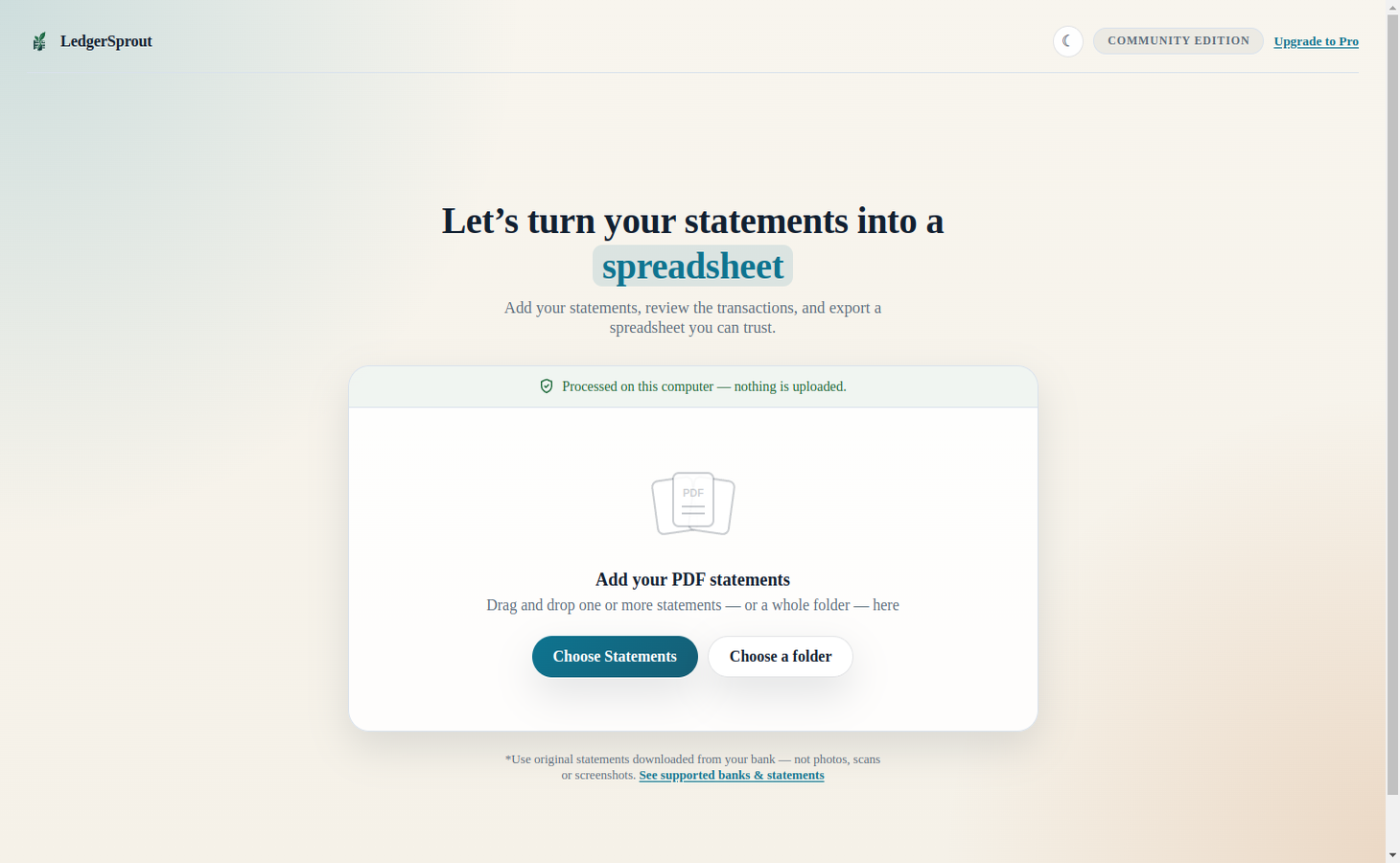
Import statement PDFs

Drag in bank or credit card PDFs from one account or several at once. LedgerSprout automatically uses the correct parser for each file and extracts the transaction table locally on your machine.

03

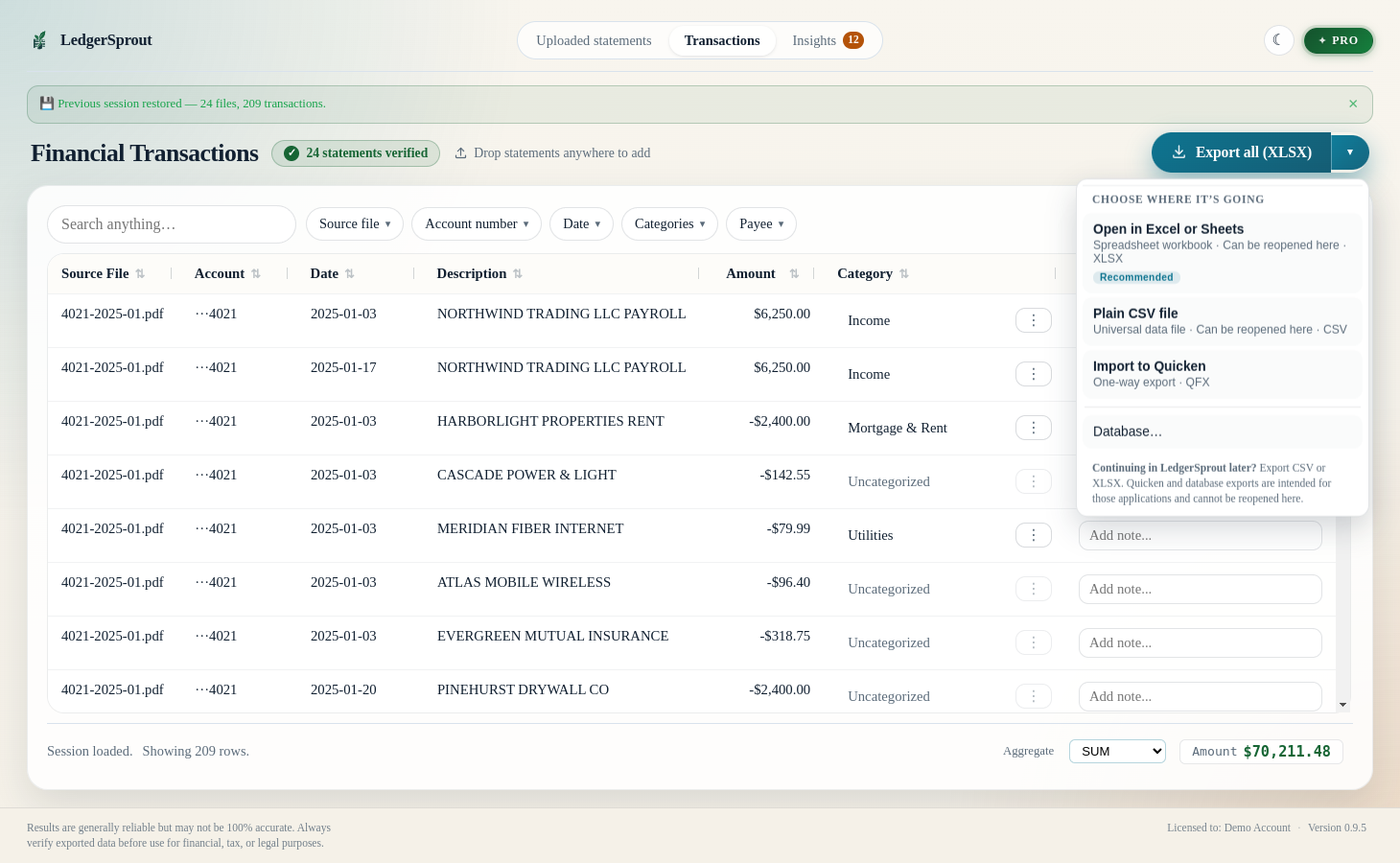
Review every row before export

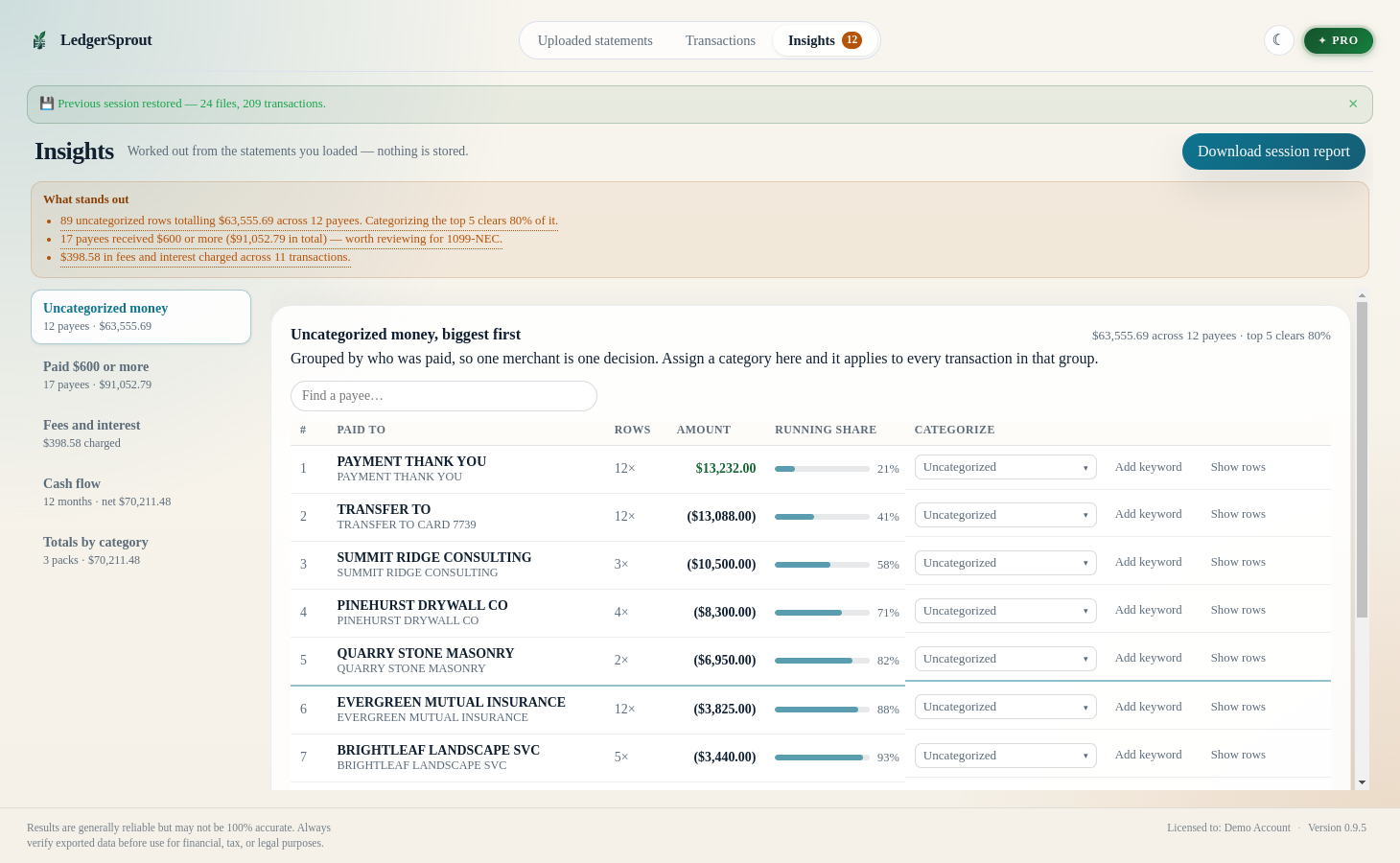
A local review app opens automatically so you can verify dates, amounts, descriptions, and category suggestions. LedgerSprout helps you move faster, but you stay in control of the final data.

04

Export-ready outputs

Free exports are watermarked. Individual and Pro unlock clean CSV/XLSX outputs, and Pro adds QFX/QBO for accounting and finance tools.

Import PDFs, review transactions, export clean rows

This is the core workflow: statement files in, transaction table out, with a review step in the middle before anything leaves your machine.

Your financial documents stay on your machine. Always.

LedgerSprout has no parsing backend and no document upload step. PDF processing happens locally on your computer, so your transactions, balances, and account details are never sent to a remote service.

Never transmitted
  • Your PDF statement files
  • Transaction descriptions or amounts
  • Account numbers or balances
  • Dates, categories, or any parsed data
The only times it connects
  • Checking for updates — sends your version number only
  • Browsing the parser registry — fetches a parser list if you open it
  • Sending a support request — only when you click "Send"

No telemetry. No analytics. No background activity.

What you are buying

LedgerSprout is a local statement-to-data workflow with a human review step. It is not a magical accounting robot, and that distinction matters.

✓ What LedgerSprout Does

  • Extracts rows from statement PDFs — Reads dates, amounts, descriptions, and balances from supported bank and card PDFs
  • Exports to CSV or XLSX — Produces structured data you can use in bookkeeping and tax workflows
  • Suggests categories as a starting point — Uses simple matching to help you move faster during review
  • Lets you verify before export — You can inspect and correct the extracted rows before generating output
  • Keeps statement data local — Parsing and review happen on your machine, not in the cloud

⚠ What LedgerSprout Is NOT

  • NOT automatic accounting — Category suggestions are helpers, not final answers
  • NOT zero-review software — You still need to inspect and approve the output before using it
  • NOT a replacement for professional judgment — Especially for tax, legal, or accounting decisions
  • NOT a full reconciliation suite — The focus is statement parsing, review, and export
  • NOT for scanned PDFs — It expects original text-based PDFs downloaded from the bank website

🔑 Most Important Point

The main job of LedgerSprout is turning statement PDFs into clean table data you can review and export.

The category suggestions are there to speed up human review, not replace it. If you use the exports for bookkeeping, taxes, or financial reporting, you are expected to verify the output before relying on it.

Download LedgerSprout v0.7.5

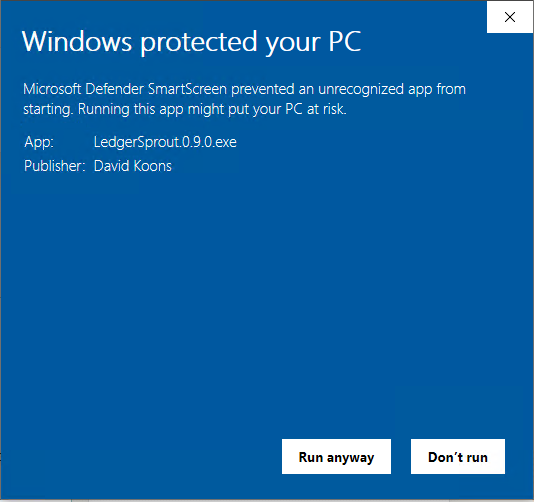
Start with the free edition and review real statement PDFs on your own machine. GitHub-hosted builds are available for Linux and Windows today.

All builds are for v0.7.5  ·  Report an issue

Included parsers: Chase checking  ·  Ally checking  ·  Bank of America checking  ·  Grasshopper checking
See which banks are currently supported: Browse the current public registry list
Need your bank? — tell us your bank and we'll build the parser for it.
More guides: Convert bank statement PDFs  ·  Parser guide  ·  Local vs online
Early access

Help expand bank coverage and improve parser quality.

We are actively collecting sample bank statements from original PDFs downloaded directly from the bank website. If you can share one or two text-based statements, you'll help us add parser coverage faster and improve real-world accuracy.

We do not use scanned statements for this program. We only need the original PDF from the bank website.

Preferred perk

25% off LedgerSprout Pro

For approved sample statements, we can issue a one-time discount code for the 1-year LedgerSprout Pro license.

See Pro pricing

Original text-based PDFs only. We review each submission manually before sending a discount code.

Simple, honest pricing

Start free, upgrade to Individual for unlimited clean CSV/XLSX exports, or choose Pro for advanced workflow tools and finance formats.

Community
Free
Forever. No strings attached.
  • All built-in bank parsers
  • Auto-categorization of bank transactions
  • CSV export
  • Interactive interface for reviewing your transactions
  • Parse up to 4 bank statements per run
  • Process up to 400 transactions per run
Download Free
Individual
$29/yr
Best for solo users who want unlimited usage and clean exports.
  • Unlimited statement imports
  • Unlimited transactions per run
  • Clean CSV and XLSX exports
  • No watermark on exports
  • Your data stays on your computer while you review it
  • Personal use on your own machines
Buy Individual — $29/yr
Pro Founding Member Price
$79/yr
Everything in Individual, plus advanced power-user workflow features.
  • QFX and QBO exports
  • Fully editable categories and saved rules
  • Private parser registry repositories
  • Re-parse imported PDF files
  • Priority support
  • All Pro updates during your term
  • Personal use on your own machines
Buy LedgerSprout Pro — $79/yr

Checkout opens in a secure popup. Click the X in the top-right corner to close.

14-day refund guarantee

Don't see your bank? and we'll add it.

What happens when my year is up?
You get a 14-day grace period, then the app falls back to Community features — it never stops working. Renew any time to restore Individual or Pro features.
Is this really a one-time annual charge?
Yes. No recurring billing, no auto-renew. You pay once, use your paid tier for 12 months, then decide if you want to renew.
Can I get a refund?
Yes — 14-day no-questions-asked refund window from date of purchase.
Does it work offline? Does it phone home?
100% offline. The license key is verified locally via cryptographic signature — no server call, no telemetry, ever.
Can I use this for client statements?
Yes — with one requirement: clients need to download their statements directly from their bank's website as the original PDF files. Paper statements and scanned PDFs are not supported. Those original, text-based PDFs are processed entirely on your local machine — never uploaded, never transmitted, never stored anywhere outside your computer.
Where can I read the full license terms?
The full End User License Agreement is available at docs/EULA.md. The short version: one license per person, no sharing across a team or organization.
Is there an office or multi-seat license?
Not yet as a formal tier — it's on the roadmap. The short version: each person who uses LedgerSprout needs their own license. Sharing one license key across a team or organization is not permitted under the terms of use, even on an honor system. If you're equipping a tax office or financial department, email ledgersales@superdavelab.com and we can arrange volume pricing that's cheaper per seat than buying individually.
Can my office host a private parser registry?
Yes, with Pro. Teams can host a private registry on their own server and point LedgerSprout to that URL. See the Private Registry Deployment Guide for setup requirements and a deployment workflow.

Resources: Convert Bank Statement PDFs  ·  Supported Banks  ·  Request a Parser  ·  Parser Guide  ·  Bank Statement to CSV  ·  Bank Statement to Excel  ·  Bank Statement to QBO  ·  Credit Card Statement to CSV  ·  Credit Card Statement to Excel  ·  Credit Card Statement to QBO